
Settings Automation
Modify Microsoft 365 admin settings automatically to standardise configurations and enforce best practices.
ATHENTRA CONTROL
Athentra Control empowers you to automate and standardise your Microsoft 365 environment with powerful and flexible actionable controls. Extract data, modify settings, and manage resources like Teams and SharePoint — all through streamlined automation run either manually or scheduled. Use over 50 out of the box controls or build your own to handle any scenario and to bring consistency to your digital platform.
Book a Demo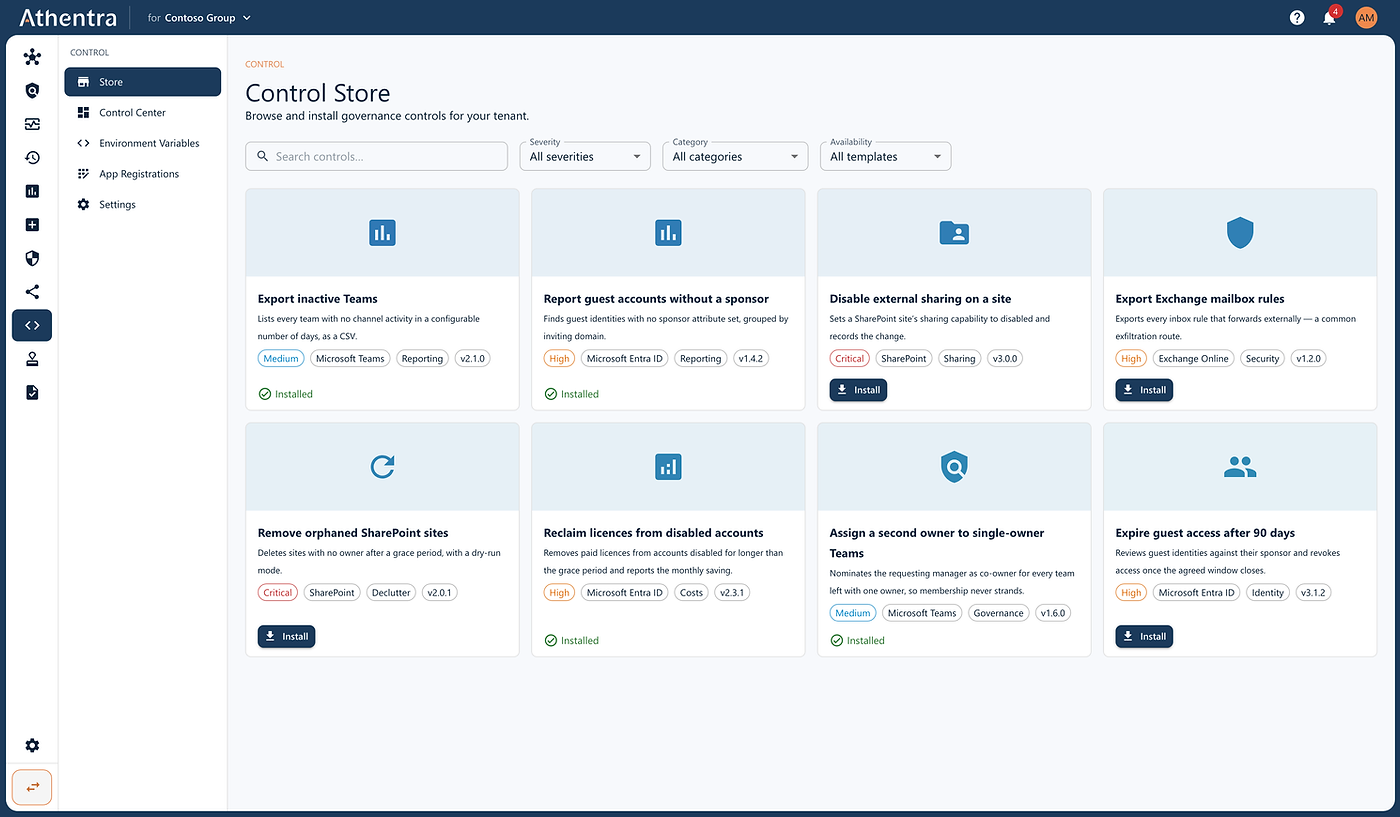
Standardise Microsoft 365 configuration, automate recurring administration tasks, and run ready-to-use or custom controls consistently across your environment.
Modify Microsoft 365 admin settings automatically to standardise configurations and enforce best practices.
Accelerate automation with over 50 ready-to-use controls based on Microsoft 365 best practices.
Build your own controls to automate unique business requirements and governance scenarios.
Run controls on demand or schedule recurring tasks to ensure consistent execution.
Create and update Teams, Channels, SharePoint sites, OneDrive folders, and user accounts automatically.
Export Microsoft 365 data into readable reports covering sites, Teams, users, licences, and more.
Athentra Control can support your Microsoft 365 platform in a wide range of ways. Almost any administrative task you would otherwise perform by hand can be carried out by an Athentra control. The list below gives a few examples of what Athentra Control covers out of the box.
Control Teams external access, channel configuration, meeting policies, guest messaging restrictions.
Apply retention policies, archive old mailboxes, enable auto-expanding archives.
Auto-replies, disclaimer settings, custom help desk contact setup, email alerts for violations.
Schedule recurring tasks like backups, retention, mail flow rules, or auto-removal of guest links.
Generate reports for Teams usage, OneDrive activity, SharePoint usage, mail traffic, and device compliance.
Set default policies, assign Teams settings, configure mailbox sizes, automate site or group creation.
Remove unused Teams, delete inactive sites, restrict app permissions.
Enable DLP, audit logging, secure score alerts, litigation hold, conditional access, mailbox auditing.
Bulk user updates, license assignments, MFA checks, mailbox provisioning, guest user handling.
A tour of Athentra Control
01/02
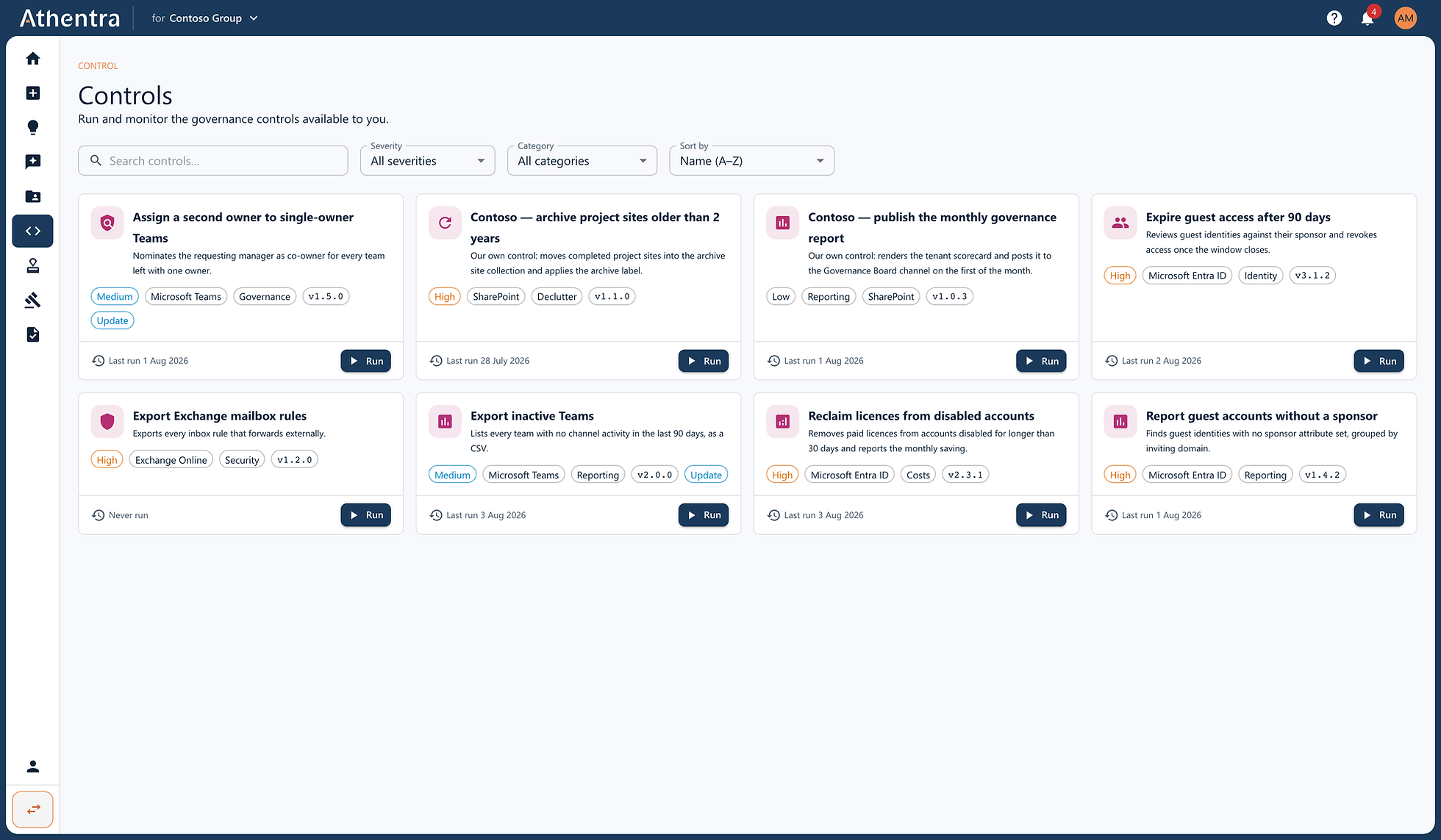
Run one now or leave it on a schedule. Each says when it last ran.
02/02
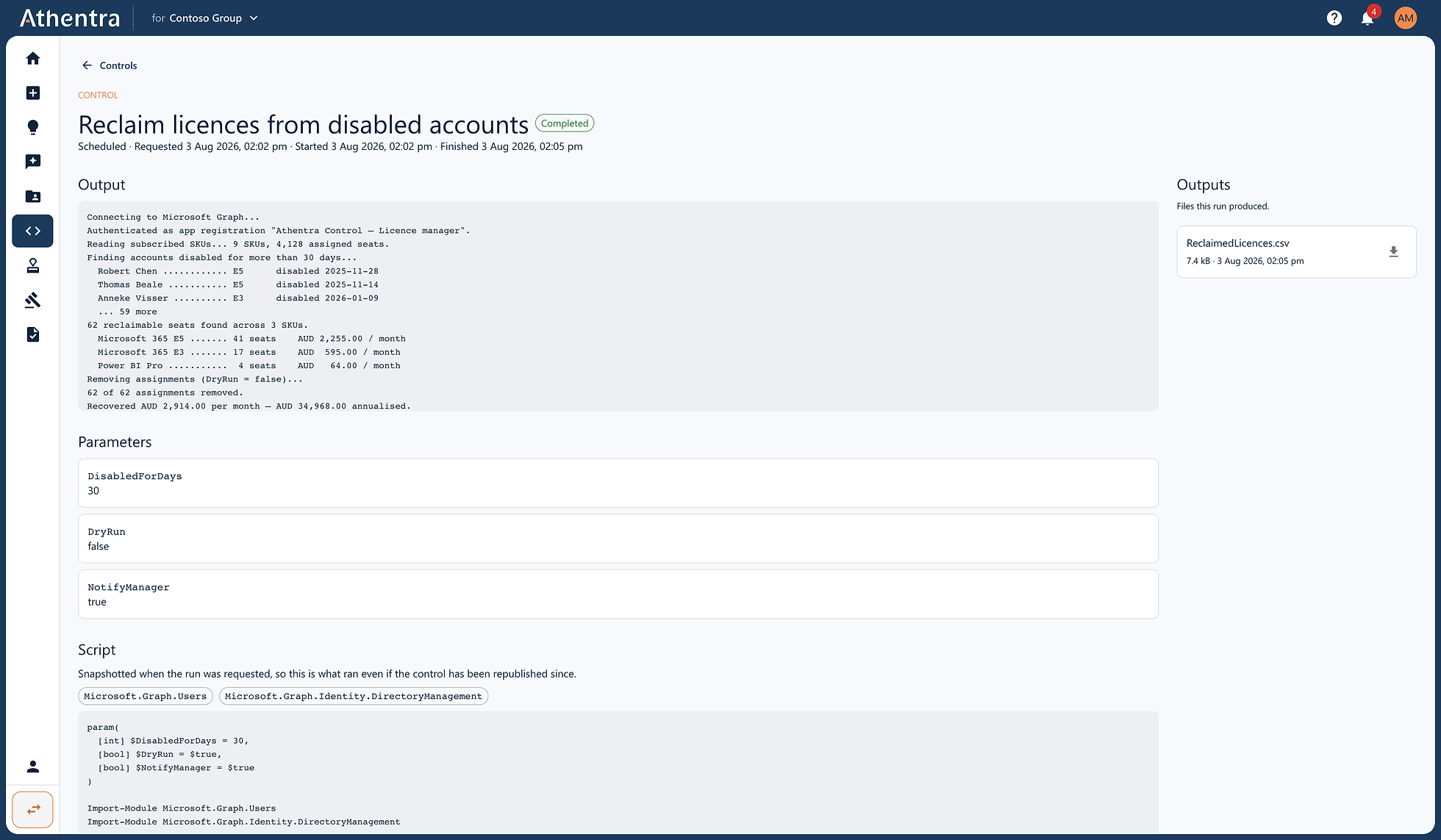
The licence reclaim ran at 04:02, removed 62 seats and reported AUD 2,914 a month — AUD 34,968 annualised.
Extract Microsoft 365 data in readable formats to generate reports on everything from SharePoint sites and Teams to licences, users, and more—without limitations. Modify admin settings across Microsoft 365 portals to automate configuration tasks and standardise your environment according to best practices. Create or update Microsoft 365 resources such as Teams, Channels, SharePoint sites, OneDrive folders, and user accounts—all through automation. Run controls manually or schedule them to execute routine tasks consistently and on time. Use the 50+ out of the box, best-practice controls to accelerate your configuration and automation efforts from day one. Design your own custom controls to meet specific business requirements and extend automation across any scenario.
Nobody takes governance on all at once. Most start from a single pressure — preparing for Copilot, reducing oversharing, cleaning up workspaces nobody owns, or getting ready for an audit — and widen from there. Athentra is built to be useful from the first of those, and to still fit when the rest arrive.